Passwords alone are not enough to protect your accounts. Learn why two-factor authentication is crucial and how to implement it effectively.
The Problem with Passwords Alone
Despite best practices, passwords remain vulnerable to compromise. Data breaches expose millions of credentials regularly, and once your email and password combination appears in a breach, it circulates among attackers indefinitely. Phishing attacks trick users into revealing passwords through convincing fake websites. Brute force attacks crack weak passwords using automated tools that try millions of combinations. Once attackers have your password, your account is theirs, unless you have a second layer of protection.
The statistics are sobering. Over 80% of hacking-related breaches involve stolen or weak passwords. The average person reuses passwords across multiple accounts, meaning one breach can cascade into many compromised accounts. Even strong, unique passwords can be stolen through phishing or malware. The fundamental problem is that passwords are something you know, and anything you know can be tricked out of you or stolen from a database.
Understanding Two-Factor Authentication
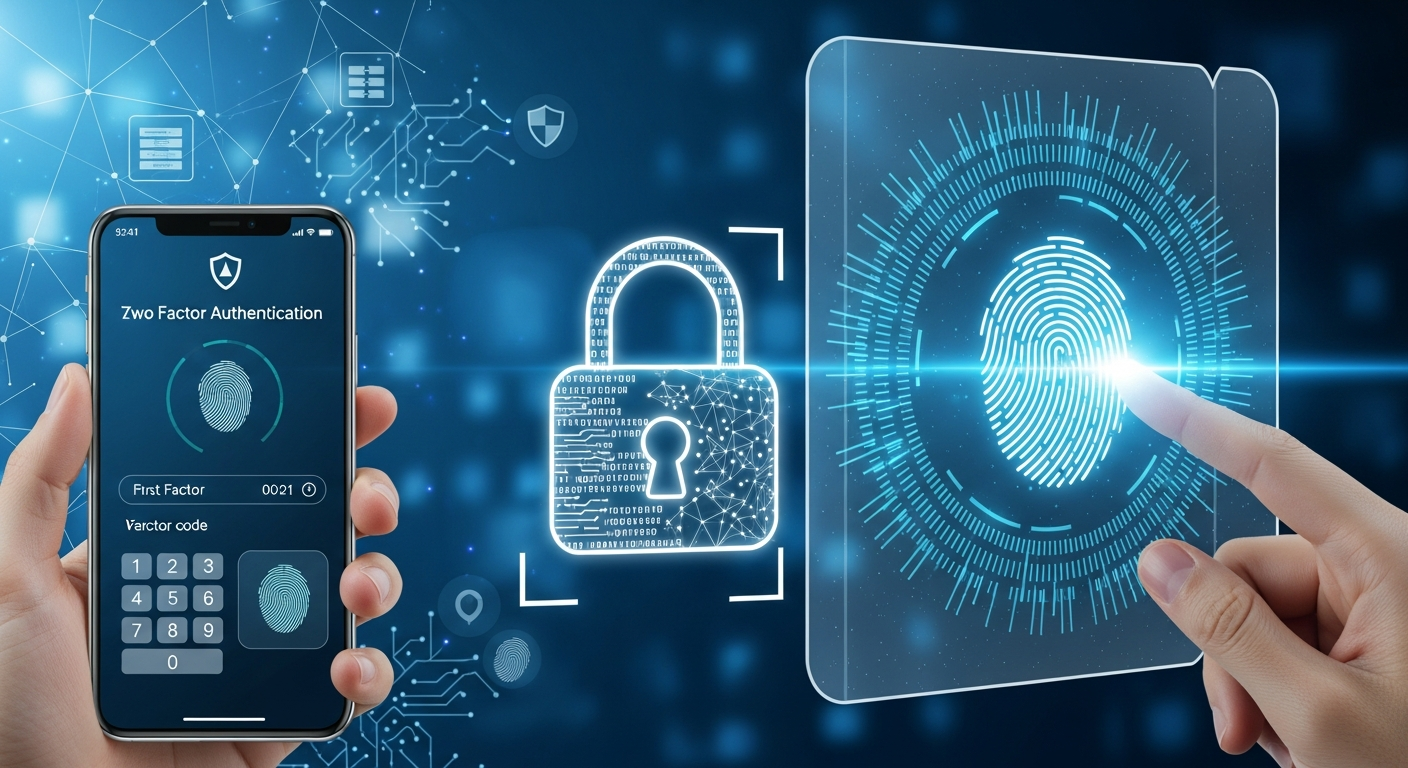
Two-factor authentication (2FA) requires something you know (your password) plus something you have (typically your phone or a security key) or something you are (biometrics). Even if attackers steal your password, they cannot access your account without the second factor. This dramatically raises the bar for account compromise because attackers must now steal two things instead of one.
The concept behind 2FA is simple: verify identity through two independent factors. Each factor comes from a different category, making it much harder for an attacker to compromise both. Getting your password is already challenging for sophisticated attackers, but getting your password AND your phone at the same time is exponentially more difficult.
Types of Second Factors
SMS Codes
A text message sends a one-time code to your phone that you enter after your password. While better than password-only authentication, SMS is the weakest 2FA option due to vulnerabilities in cellular networks. SIM swapping attacks, where criminals convince carriers to transfer your phone number to their device, can intercept SMS codes. Use SMS only when better options are not available.
Authenticator Apps
Apps like Google Authenticator, Microsoft Authenticator, or Authy generate time-based codes that change every 30 seconds. These work offline and are more secure than SMS because the codes are generated locally on your device and never transmitted over networks that could be intercepted. This is the recommended option for most users because it balances security with convenience.
Hardware Security Keys
Physical devices like YubiKey provide the strongest protection available to consumers. They plug into USB ports or connect via NFC and are virtually immune to remote attacks because there is nothing to intercept. You must physically possess the key to authenticate. For high-value accounts and security-conscious users, hardware keys are worth the investment.
Biometric Authentication
Fingerprint readers, facial recognition, and other biometric systems offer convenience combined with security. Many phones and laptops now include these capabilities. Biometrics are difficult to steal or replicate, though they cannot be changed if compromised the way passwords can. They work best as part of a layered security approach.
Where to Enable 2FA
Priority Accounts
Enable 2FA immediately on these high-value targets:
- Email accounts, which are used to reset passwords for other services and represent your digital identity
- Banking and financial services that control access to your money
- Social media accounts that attackers could use to impersonate you or access connected services
- Cloud storage services containing personal files, photos, and documents
- Business applications with sensitive data including CRM, accounting, and collaboration tools
- Password managers that hold keys to all your other accounts
Work Accounts
Many organizations now require 2FA for business applications, and for good reason. If yours does not, advocate for its implementation as a security baseline. A single compromised employee account can give attackers access to sensitive business data, customer information, and internal systems.
Setting Up 2FA Effectively
Choose the Right Method
Authenticator apps strike the best balance between security and convenience for most users. Reserve SMS only for services that do not support better options. For your most critical accounts like email and banking, consider using hardware security keys for maximum protection.
Save Backup Codes
Most services provide backup codes when enabling 2FA. Store these securely, separate from your passwords. They allow account recovery if you lose access to your authenticator. Print them and store in a safe location, or save encrypted copies in a different location than your password manager.
Register Multiple Devices
When possible, set up 2FA on more than one device. This prevents being locked out if your primary device is lost, stolen, or damaged. Some authenticator apps like Authy allow synchronization across devices for exactly this purpose.
Keep Authenticator Apps Updated
Regular updates ensure you have the latest security improvements and bug fixes. Enable automatic updates so you are always running current versions with the latest protections against newly discovered vulnerabilities.
Managing 2FA at Scale
For Businesses
Organizations should mandate 2FA for all employees accessing company systems. Enterprise solutions like Duo, Okta, or Azure AD provide centralized management, reporting, and enforcement. These platforms make it easy to require 2FA, monitor compliance, and help employees through setup and recovery situations.
Training Employees
Explain why 2FA matters and provide clear setup instructions. Address common concerns about convenience, showing how minimal extra effort provides significant protection. Most employees will embrace 2FA once they understand the reasoning and see how little it affects their daily workflow.
Common 2FA Concerns Addressed
What if I lose my phone?
Use backup codes stored securely offline. Many services also allow recovery through trusted devices, phone numbers, or identity verification processes. Planning for this scenario before it happens makes recovery much easier.
Is 2FA inconvenient?
Modern implementations minimize friction significantly. Many services only require 2FA on new devices, suspicious logins, or when accessing sensitive features. A few seconds of additional login time is insignificant compared to the hours or days needed to recover from account compromise, not to mention the potential financial and reputational damage.
Can 2FA be bypassed?
Sophisticated attackers can sometimes bypass 2FA through social engineering, real-time phishing, or advanced techniques, but 2FA stops the vast majority of attacks. No security measure is perfect, but 2FA dramatically raises the barrier for attackers and forces them to use more complex, expensive, and risky attack methods.
Conclusion
Two-factor authentication is one of the most effective security measures available, and it is free to implement on most services. Taking a few minutes to enable 2FA on your important accounts provides protection that could save you from significant harm. Start with your email account today, then systematically enable 2FA everywhere it is offered. This small investment of time provides enormous security benefits that protect you, your business, and your customers.